

Last DraftBuy me a coffeeDownload

A screenwriting app for the Mac

Write the script. Then shoot it.

Last Draft keeps going after FADE OUT. Storyboard the shots, break down every scene, build the stripboard, and hand your crew the day’s paperwork in one folder.

Download for Mac

Version 0.5.2 · macOS 14 or later · Apple silicon and Intel

The Quiet Distance

Opens

  • Final Draft .fdx
  • Fountain .fountain
  • Plain text .txt

Exports

  • PDF US Letter
  • Final Draft .fdx
  • Fountain .fountain

INT. THE PAGE - WRITING

Type the scene. Tab handles the format.

Press Tab to turn a line into action, a scene heading, character, dialogue, parenthetical or transition. The margins follow, and the page count keeps up in eighths.

Never lose a draft
Name a snapshot before a rewrite, compare any two scene by scene, and restore one without losing what you had open.
Rewrite without collateral
Find & Replace previews every match and changes only the ones you tick. Rename a character once and their cues, cast entries and call times follow.
Find any scene in a keystroke
Jump by scene number, heading or character. Bookmark the scenes you keep returning to, or hide everything in Focus Mode.
Compare RevisionsBefore rewrite → Current

2 INT. STATION WAGON - CONTINUOUS 1 change

BeforeIf you can hear me, tell me where you are.

AfterIf you can hear me, say the name of the road.

3 EXT. SERVICE ROAD - MORNING Unchanged

4 INT. ROADSIDE MOTEL - NIGHT Unchanged

EXT. THE FILM IN YOUR HEAD - DAWN

See the film before the shoot.

Give every scene its shots: a reference image, framing, camera move, lens and duration. Paste a shot list one line at a time, or start from a coverage template. Then present the frames in order.

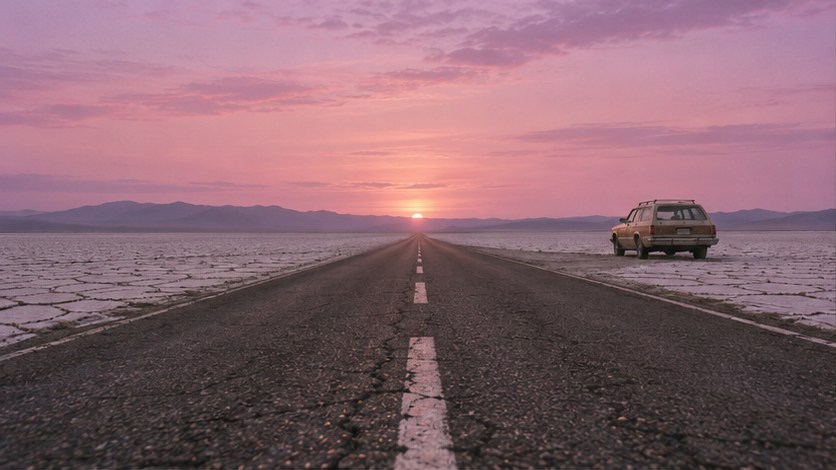
  1. A straight road across salt flats at dawn, a station wagon parked on the shoulderReady

    01.01

    The road at first light

    Establishing · Locked · 24 mm · 8s

    Hold the empty horizon. Let the wagon read on the second beat.

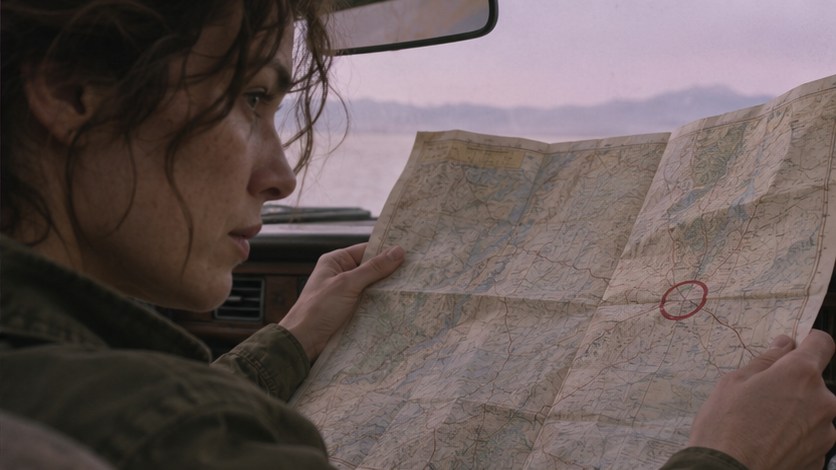
  2. Close on a map held against a windshield, a red circle drawn on itPlanned

    02.01

    A place with no name

    Close-up · Push in · 50 mm · 6s

    Move with Mara's hands as she opens the map. Land on the red circle.

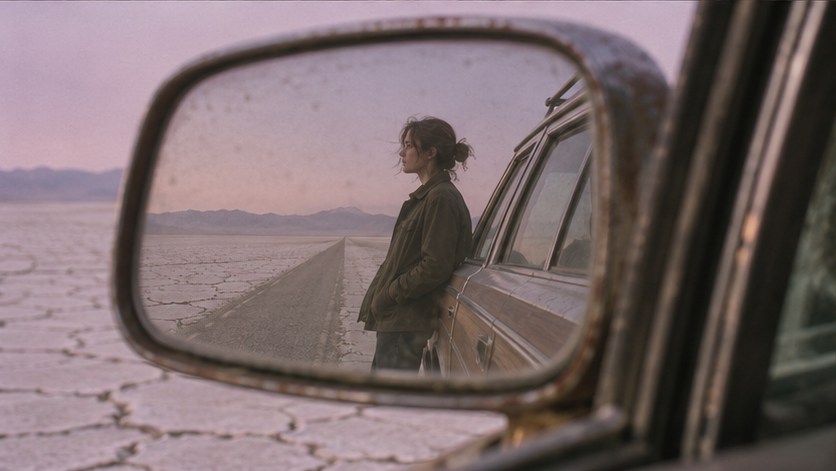
  3. A woman reflected in a car's wing mirror on an empty roadPlanned

    03.01

    The missing wagon

    Insert · Locked · 85 mm · 4s

    Hold on the reflection after Mara looks away.

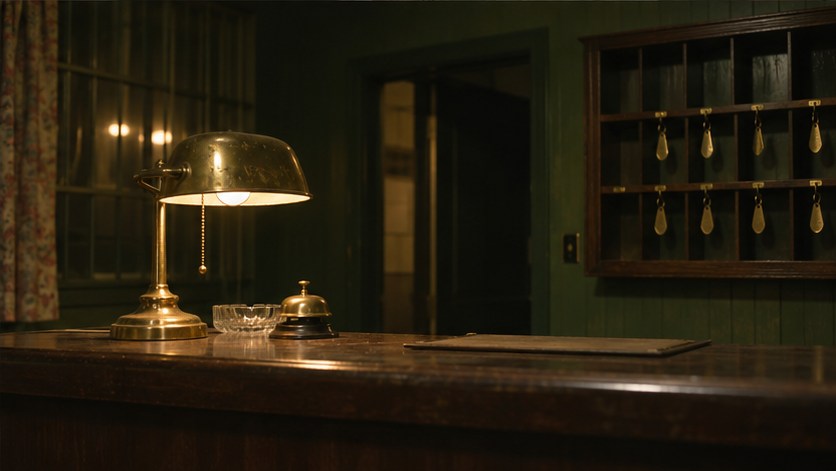
  4. A lamp lit on a motel desk at night, brass keys hanging on the wall behindPlanned

    04.01

    Keys in the dark

    Wide · Locked · 35 mm · 7s

    Let the light establish the desk before the keys begin to move.

Frames from The Quiet Distance, the sample project inside the app. Reorder scenes on the Scene Board and their shots move with them.

INT. PRODUCTION OFFICE - DAY

A stripboard that counts the eighths for you.

Scenes arrive as color-coded strips for interior, exterior, day and night. Drag them onto shoot days, set a page budget for each day, and the board tells you when you’ve asked for too much.

Catch problems before call time
Continuity flags over-budget days, too many company moves, tight night-to-day turnarounds and shots nobody scheduled.
Day out of days, built for you
Start, work and finish days for every cast member, straight from the schedule.
Breakdowns from the script itself
Select a prop in the text, tag it to a department, and it shows up in that department’s list with its scene.
Stripboard2 shoot days
01EXT. SALT FLATS - DAWNMara3/8
03EXT. SERVICE ROAD - MORNINGMara2/8
02INT. STATION WAGON - CONTINUOUSMara, Voice5/8
End of Day 11 2/8 pages of 1 4/8
04INT. ROADSIDE MOTEL - NIGHTMara2/8
End of Day 22/8 page of 1
Day Out of Days
CastDay 1Day 2
MARASWWF
VOICESWF·

EXT. LOCATION - CALL TIME

One click packs the day.

Day Prep exports everything the crew needs for a shoot day into a single numbered folder you can share as it is.

Know what you still owe
Mark each shot filmed, needing another take, or a pickup, and log the preferred take for the edit.
Notes you can say out loud
Record a voice memo against the project, a scene or a shoot day while the thought is still fresh.
The Quiet Distance - Day 1 - Day Prep8 items
  • 00-Call-Sheet-Summary.txtCalls, address, parking, notes
  • 01-Daily-Packet.pdfThe day on paper, in shooting order
  • 02-Script-Sides.pdfToday's scenes, original scene numbers
  • 03-Cast-SidesOne PDF per actor, their lines emphasized
  • 04-Day-Breakdown.csvCast, props, wardrobe, sound per scene
  • 05-Shot-List.csvEvery planned shot for the day
  • 06-Department-Pulls.csvWhat each department brings
  • 07-Coverage-Editorial.csvTakes and notes for the edit

INT. SOMEONE ELSE’S PIPELINE - LATER

Final Draft in, Final Draft out. Byte for byte.

An imported FDX travels with your project. Plan the shoot, add notes and save snapshots, and as long as the script text, title and author are unchanged, the export is the original file exactly: revision marks, locked pages and custom formatting intact.

INT. YOUR MAC - ALWAYS

Your script stays on your Mac.

Projects autosave to your own disk. There is no account to create and nothing to sync. The app goes online for one thing: checking for a signed update, which you choose to install.

Start with page one. Finish with a wrap.

Download for Mac

Version 0.5.2 · macOS 14 or later · Apple silicon and Intel

Free to download. Kept going by coffee.

Last Draft is made by one person between drafts. If it saves you a day of prep, a coffee helps the next update ship sooner.

Buy me a coffee